Secure random source
Web Crypto fills 20 bytes instead of using predictable timestamps or Math.random.
Create a new 160-bit Base32 TOTP secret, labeled otpauth URI, and scannable QR code entirely in this browser.
Browser only
Save the secret in your application’s protected credential store before clearing this tab. This generator cannot recover it later.
Creates new enrollment material; it cannot recover an old account secret. Already have a secret? Generate a 2FA QR code.
Key features
The 2FA secret key generator starts with cryptographically secure random bytes and keeps every derived form together. Generate once, enroll deliberately, and move the long-lived secret into the protected system that will verify TOTP codes.
Web Crypto fills 20 bytes instead of using predictable timestamps or Math.random.
The 160-bit secret key becomes a compatible 32-character RFC 4648 value.
Issuer, account, algorithm, digits, and period travel together without manual assembly.
Scan the enrollment QR or download a controlled copy for your setup workflow.
What it is
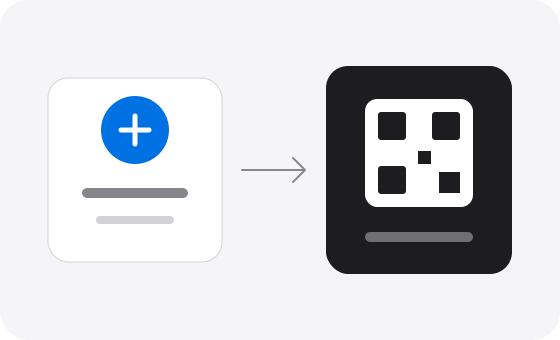
A 2FA secret key generator creates the shared random input used by time-based one-time password authentication. The authenticator stores one copy, the verifying application stores another, and both independently calculate the same TOTP code for the current time window. The secret key itself is not a short login code; it is the long-lived credential behind every future code.
This page differs from the 2FA code generator, which calculates a current code from an existing secret, and the QR generator, which repackages an existing secret. The TOTP secret key generator creates new enrollment material from secure randomness. It never queries an account provider and cannot retrieve or restore a previously issued secret key.
After enrollment, use the TOTP verifier to confirm a test code against the new secret, then follow the troubleshooting guide if your application rejects the result.
How to
A strong secret key is only the first step. The issuer and authenticator must enroll the same value, the server must protect its copy, and a fresh TOTP code must be tested before the setup is considered complete.
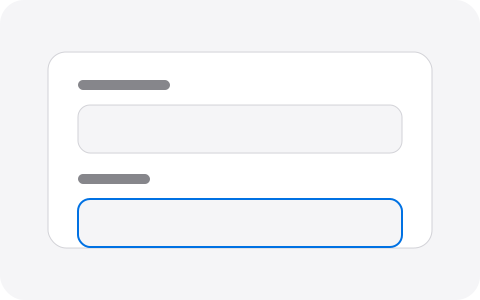
Enter the account and optional issuer that should appear in the authenticator app.
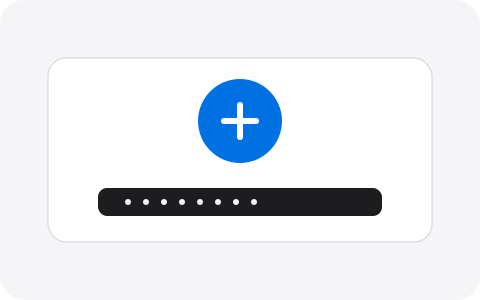
Create a new random Base32 secret and standard otpauth URI with Web Crypto in this tab.
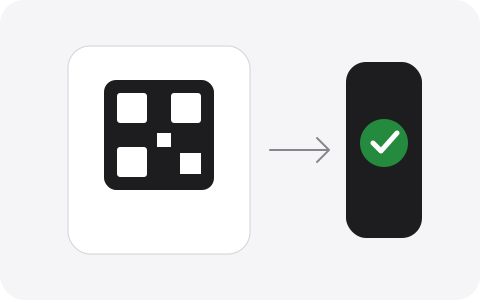
Scan the QR on a trusted device, store the server-side secret safely, and verify a fresh TOTP code.
Why choose it
A 2FA secret key generator should make security properties visible instead of hiding them behind a generic random-string button. Every output here can be inspected and moved into your own enrollment system.
The default secret key starts with 160 bits from the browser’s cryptographic random number generator.
The 2FA secret key generator does not ask you to save credentials in a new online account.
Advanced settings are recorded in the otpauth URI so the authenticator receives the same configuration.
Base32, URI, QR, clipboard, and PNG options cover manual and camera-based setup without another tool.
Pro tips
The generated secret key is a credential, not harmless setup text. The TOTP secret key length and random source matter, but storage, uniqueness, rotation, and verification matter just as much.
Independent secret keys limit the damage of one disclosure and allow individual revocation without breaking every enrollment.
Store production TOTP secrets with restricted access and encryption appropriate to your application’s threat model.
Use SHA-1, six digits, and 30 seconds unless your selected authenticator and verifier both document other settings.
Scan the QR, produce a fresh TOTP code, and confirm it with your application before removing the only enrollment copy.
Never reuse a secret key from a development fixture for a real user or production service.
Limit: this 2FA secret key generator does not register the secret with Google, Microsoft, GitHub, or another provider. You must control the verifier or be inside that provider’s official setup flow.
Use cases
These recipes keep the 2FA secret key generator aligned with the real enrollment job. When a library or provider specifies different parameters, its documented configuration takes priority over the defaults below.
Use 160-bit secret keys, SHA-1, six digits, and a 30-second period for broad authenticator compatibility.
Generate an isolated secret key, record it only in protected test configuration, and never copy it into production.
Add clear issuer and account labels, then scan the QR on managed devices under your organization’s access policy.
Download the QR only when required, transfer it through an approved channel, and securely delete temporary files afterward.
FAQ
Practical answers about TOTP secret key length, QR enrollment, storage, compatibility, and the important difference between creating a new secret and recovering an old one.
A TOTP secret key is a long-lived random value shared by an authenticator and the service that verifies its codes. It is commonly represented with Base32 characters and embedded in an otpauth URI or QR code. Anyone who obtains the secret key can generate future TOTP codes, so protect it like a password.
The 2FA secret key generator requests 20 random bytes from the browser Web Crypto API and encodes them as a 32-character Base32 value. That equals 160 bits of source entropy. The secret key generator does not derive keys from names, timestamps, Math.random, or a remote generation service.
This tool uses a 160-bit secret key by default, which becomes 32 Base32 characters without padding. It is a practical interoperable default for HMAC-SHA-1 TOTP enrollment. Longer keys are not automatically more compatible; follow your application’s authentication library and security requirements when you control both sides.
Yes. Each generated secret key is placed into a standard otpauth URI and rendered as a QR code in the browser. Add an issuer and account label before generation so the authenticator displays a useful name. You can scan the QR, copy the URI, or download a PNG for a controlled enrollment workflow.
No. The secret key, URI, and QR canvas remain in the current page workspace and are not written to LocalStorage, SessionStorage, cookies, URLs, or a server database. Clearing or reloading removes the workspace. Your browser, operating system, clipboard, or downloaded PNG may retain copies outside the page.
No. A secret key generator creates a new random secret and cannot recover a value previously issued by Google, GitHub, Facebook, or another provider. Replacing a secret also requires updating the verifying service. Use the provider’s backup codes, migration feature, or official account recovery process for a lost enrollment.
Use SHA-1, six digits, and a 30-second period unless the application you are building explicitly requires other values. Those defaults are widely supported by authenticator apps. If you choose SHA-256, SHA-512, seven or eight digits, or another period, both the authenticator and server verifier must use exactly the same parameters.
No. A TOTP secret key continuously produces new time-based codes and usually remains valid until enrollment is replaced. A backup code is a separate one-time recovery credential issued by the account provider. Do not use this secret key generator to invent backup codes; the provider must create and recognize those values.
Technically multiple systems could share a secret, but production accounts should receive independent secret keys. Reuse expands the impact of one leak and makes rotation or revocation harder. Generate a fresh secret key for each user, account, environment, or relying service, and store the server-side copy with appropriate encryption and access controls.
Enroll the QR or otpauth URI in a trusted authenticator, then generate a TOTP code and test it against your application’s verifier. You can also use the local TOTP verifier on this site for a controlled consistency check. Complete verification before deleting the only copy, and never test a production secret in an untrusted environment.
Create carefully
Label the account, create the secret with Web Crypto, scan the QR, verify a code, and move the server copy into protected storage.
Open the 2FA secret key generatorHelp improve 2FACode.im — bugs, ideas, or questions are welcome.
Thanks — we received it.